The connected workplace, explained
Why Did the Microsoft 365 Outage Affect So Many Services?
Understand the November 2026 Microsoft 365 outage: Exchange Online dependencies, Outlook email delays, working Teams features and why recovery happens in stages.
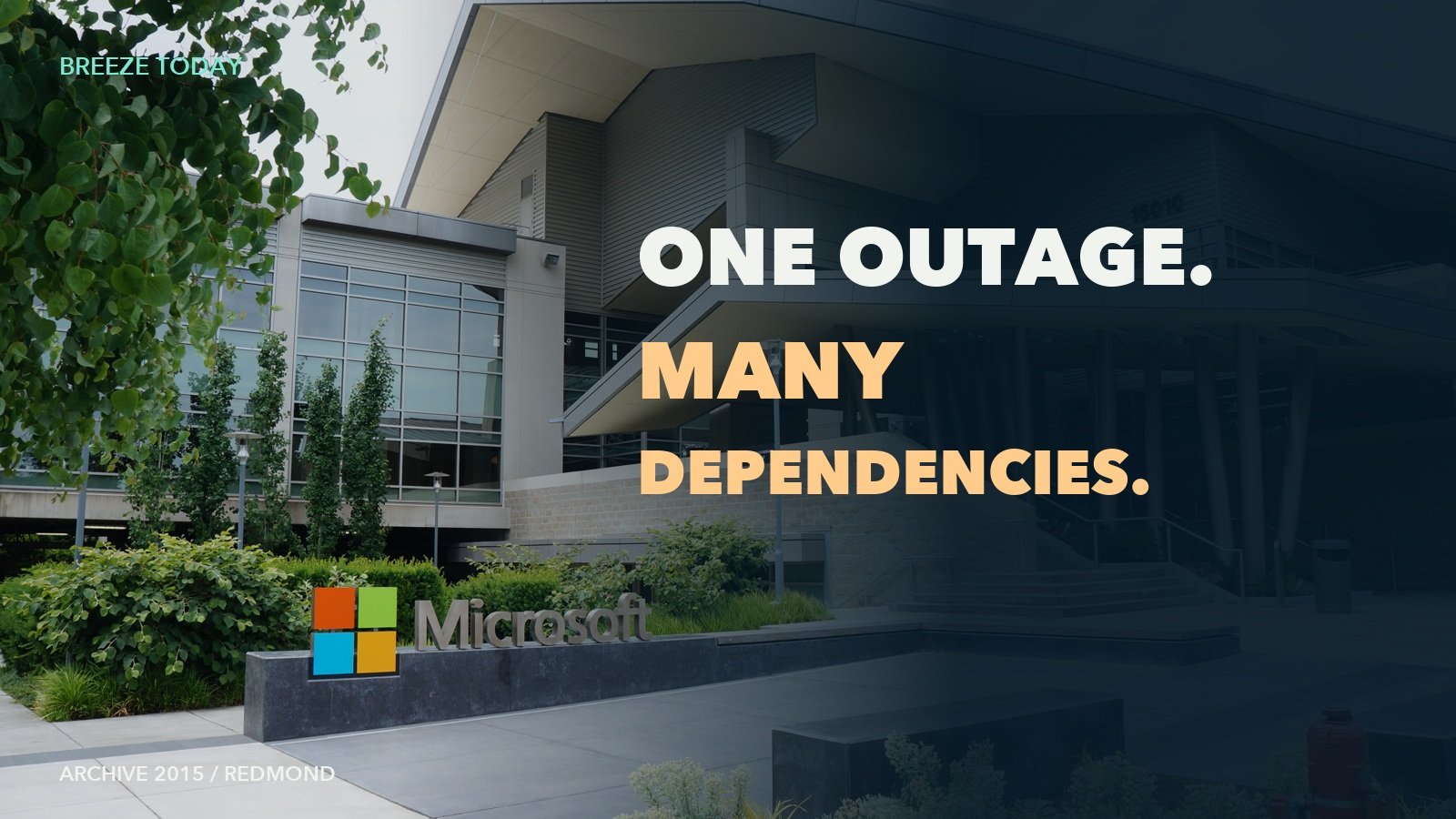
What happened during the Microsoft 365 outage?
The Microsoft 365 outage began on November 12, 2026, and continued into November 13. Independent reporting from the Associated Press described widespread disruption to workplace software and subsequent recovery efforts. The latest official update inspected for this article was published by Microsoft at 22:00 UTC on November 13. It still classified the incident as service degradation, rather than a resolved incident.
Microsoft's newer update reports sustained service recovery across previously affected environments and says it believes most impacted scenarios have been addressed. It still lists service degradation, with extended monitoring and checks that the accumulated email backlog processes successfully before the issue is considered resolved. This is stronger evidence of improvement than the earlier update. It remains different from a formal incident resolution.
The official status notice is the primary source for the feature-level distinctions below. The independent report corroborates the wider event and the fact that recovery was being reported, but it is not a substitute for a newer operational update. Readers needing an immediate availability decision should check the current Microsoft status page and their own organization's guidance.
Read the source MicrosoftAssociated Press
Why can one disruption affect several Microsoft apps?
Microsoft's notice identifies an important connection: features that interact with Exchange Online and email services are affected. It also says that elements which do not depend on those interactions remain functional. The dividing line therefore runs through individual functions, rather than neatly around every application. A product can contain one feature that works and another that relies on an affected service.
A useful way to picture this is a workplace with several entrances into shared infrastructure. Opening a mailbox, retrieving calendar information and requesting information from a connected assistant may look different on screen, but their tasks can intersect with the same underlying services. This is an explanatory model of dependency. It is not a reconstruction of Microsoft's internal network and does not identify the technical trigger of this incident.
For a user, that changes the most useful troubleshooting question. Instead of asking only whether an app is down, ask what operation failed. Could you open the app but not access a mailbox? Could you join a conversation but not complete an email-related task? Precise symptoms help distinguish the scope described by a service notice from a separate local issue.
Read the source Microsoft
See the distinction
Four recovery claims that should not be collapsed
| Claim | What to check |
|---|---|
| Users can sign in | Whether access works for the affected scope. |
| The application opens | Which actions inside it are actually available. |
| Processing has resumed | Whether new and queued work is being completed. |
| Delayed items have caught up | Whether the accumulated backlog has cleared. |

Which Outlook, Teams and SharePoint functions are affected?
For Exchange Online, Microsoft listed possible mailbox-access failures through Outlook on the web, Outlook desktop and other supported connection methods, together with delayed email delivery. That creates more than one visible symptom: an application can fail to open the requested mailbox, or a message can take longer to arrive. These symptoms should not be treated as identical checks of service health.
The Teams distinction is particularly important. Microsoft said most core functionality, including joining calls, meetings, group chats and channel messages, was not impacted. Scenarios dependent on Exchange Online could still be affected. A working Teams call is therefore consistent with the broader incident notice. It does not contradict a colleague experiencing trouble with a different function.
Microsoft also said direct access to files stored in SharePoint Online remained functional, while some external sharing and Exchange-dependent features could be affected. The practical conclusion is limited: check the relevant function. The notice does not justify declaring every file inaccessible, every Teams session broken or every Microsoft 365 customer affected in the same way.
Read the source Microsoft
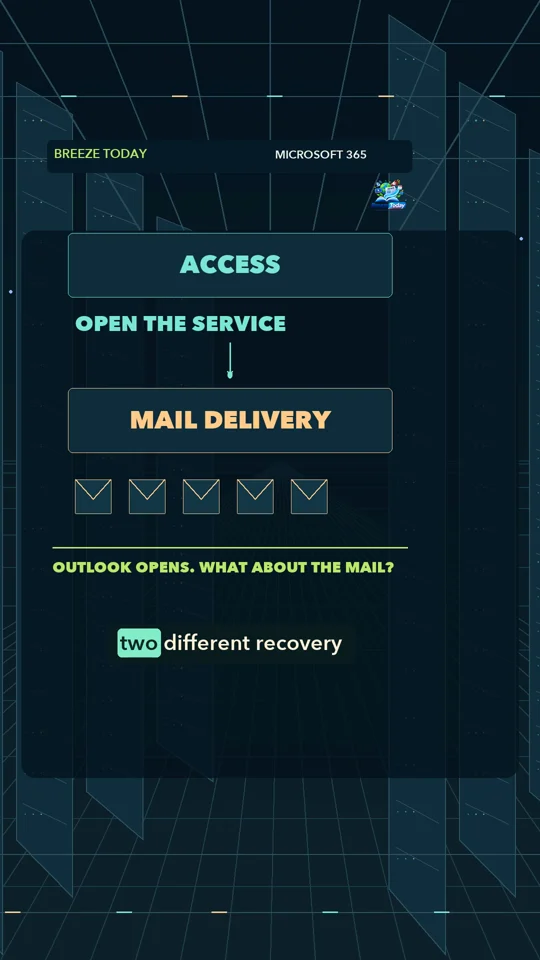
Why can Outlook open before delayed mail catches up?
In its earlier 20:02 UTC update, Microsoft explicitly separated improved sign-in or access from the delivery and processing backlog. It said service access could recover before mail flow fully normalized. Its newer 22:00 UTC update reports sustained recovery while continuing to check the email backlog. In plain language, getting through the door and finishing all the work waiting behind that door are separate recovery checks.
Imagine a sorting room that has reopened after an interruption. New arrivals can reach the room, but previously waiting letters still need to be processed. Reopening is real progress. It does not make the waiting stack disappear at once. The analogy explains why a visible improvement and a continuing delay can coexist. It does not assert how Microsoft implements its actual mail queues.
Microsoft's architectural documentation describes queues as a general way to separate incoming requests from the systems processing them. That model is useful background for understanding backlogs, but it should not be promoted into evidence of this outage's root cause. For this incident, the supported claim is narrower: Microsoft itself reported that queued messages still needed to be drained.
Read the source MicrosoftMicrosoft Learn
What does recovery progress establish, and what does it leave open?
An improving sign-in experience establishes that a particular access attempt succeeded at that moment. It does not prove that all mail has been delivered, all affected workloads have recovered or the incident will remain stable. Likewise, one delayed message does not by itself establish permanent data loss. Those are separate claims requiring separate evidence.
The inspected update did not provide a complete count of affected people or a final root-cause account. A list of potentially impacted services is not an impact total. A product's total subscription base is also not a measurement of the users who experienced this particular event. This article deliberately avoids turning either of those figures into an outage headcount.
A more complete explanation would require the incident to be resolved and supported by a detailed technical account. Until then, terms such as outage, service degradation, recovery and root cause should retain their different meanings. An incident can remain degraded while particular functions improve. A plausible explanation of dependencies remains different from a verified account of what first failed.
Read the source Microsoft
Why did officials warn about fake Microsoft support?
An authentic outage can create a second problem: someone exploiting the disruption to offer a fraudulent repair. In an advisory dated November 13, Cyber Security NSW warned that scammers could impersonate Microsoft or other information technology specialists offering help with account access. The warning is a separate risk assessment. It does not establish that a cyberattack caused the service outage.
That distinction gives users a practical reason to keep using approved support channels. A message arriving during a real incident can sound plausible because its timing matches a genuine problem. Timing alone does not establish who sent it. Check through the contact route your organization has already approved, and follow its security procedures before changing accounts or providing access.
The impact also extends beyond private inboxes. A notice from the NSW Online Registry said the outage affected email services across courts and tribunals. That establishes a communication-channel disruption; it does not establish that every court operation stopped. Consult the affected organization's current notice for its approved alternative contact route.
Read the source NSW Government / ID Support NSWNSW Online Registry
How should users check a Microsoft 365 service issue?
Start with the official Microsoft service-status notice, then follow the instructions from your own support team. For administrators, Microsoft documents how to view service health in the Microsoft 365 admin center. Organization-specific information can be more relevant than a general headline because the affected workloads and the functions in use can differ between workplaces.
When reporting a problem internally, describe the action, the application and the result. For example, distinguish failing to access a mailbox from opening a mailbox successfully but still waiting for a message. This is practical reporting guidance, not a repair procedure or a guarantee that one symptom belongs to the wider incident.
Before resetting passwords, clearing application data or reinstalling software, establish whether your support team considers the issue local or service-wide. A device change does not necessarily resolve a problem in shared infrastructure. Keep normal security and data-protection rules in place, and rely on approved support channels rather than unsolicited offers to restore an account.
Read the source MicrosoftMicrosoft Learn
What should businesses learn about shared-service dependencies?
The useful planning exercise is to identify which essential operations depend on the same service. A business may have several application icons without having several independent routes to complete a task. A fallback should be assessed against the actual function needed: communicating an urgent update, finding an existing document or completing an approval are different operational requirements.
This is a resilience question rather than proof that a particular alternative would have prevented this outage. Teams and organizations have different security obligations, data locations and approval processes. A plan that works for a casual internal message may be unsuitable for sensitive records or a regulated workflow. Review fallbacks with the people responsible for those requirements.
It is also useful to define recovery checks in advance. Being able to authenticate, retrieve information and complete a transaction are different tests. A team that records which one has recovered can communicate more clearly than a blanket message saying that everything is either up or down. These are general planning observations drawn from the feature and recovery distinctions in the incident notice.
Read the source Microsoft
What evidence would change this report?
A formal incident resolution would change the current status described here. Microsoft is now reporting sustained recovery and most impacted scenarios addressed, while continuing extended monitoring and email-backlog checks. A final technical incident report could also add a confirmed root cause and the measures intended to prevent a recurrence. Those developments would require a factual update, rather than simply a new headline.
For now, the supported explanation is that Exchange-related dependencies connect several affected features and recovery can proceed in stages. It is possible for a call to work while a dependent function struggles, or for service access to return while email processing catches up. The exact current state must be checked against the latest official notice.
This explainer was researched from the source snapshot identified above. It uses original diagrams to explain dependencies and backlogs, with no claim that the artwork depicts Microsoft facilities or internal topology. If you need to make an operational decision, use current service-health information and your organization's support guidance alongside this background.
Read the source Microsoft
A worked example of why a backlog outlasts the outage
Imagine a queue with 12,000 waiting jobs. After a service recovers, workers can finish 2,000 jobs per minute, but 500 new jobs arrive each minute. The backlog shrinks by only 1,500 jobs per minute. Under those simplified, constant-rate assumptions, clearing the original backlog takes eight minutes, not six. These are explanatory numbers, not Microsoft's reported incident measurements.
The arithmetic explains why resumed access and completed delivery are different milestones. Restarting a processing path can stop a queue from growing without making every delayed item appear immediately. If the incoming rate rises or processing capacity changes, the time needed to catch up changes as well. A static recovered/not-recovered label can conceal that intermediate state.
Do not use this example to estimate when a particular email will arrive. Real systems have priorities, retries, multiple queues and other operating conditions. Its purpose is to make the dependency visible: the amount waiting, the rate of new arrivals and the rate of completed work all affect catch-up time. Incident-specific figures require incident-specific evidence.
Read the source Microsoft LearnMicrosoft Learn
What a useful service-status message should tell a reader
A useful status account names the operation, not only the application. Signing in, reading existing mail, sending a message, receiving delayed mail, joining a call and opening a shared file are different user tasks. A report that one of them works does not settle all the others. This article keeps those distinctions rather than treating Microsoft 365 as a single on/off switch.
The next useful detail is the scope of the observation: which users or environment it describes and when it was observed. A person's successful test provides evidence about that task at that time. The provider's service-health notice can supply wider scope, the incident identifier and the stated mitigation or recovery work. Neither should be silently substituted for the other.
Support messages also need a trustworthy origin. The warning cited in this report about fake Microsoft support is separate from the technical outage itself. A convincing-looking unsolicited message is not an authoritative incident update. Use the provider's documented service-health routes and the relevant organization's established support process when checking an issue, rather than treating a pop-up or unexpected caller as the source of recovery instructions.
Read the source Microsoft LearnNSW Government / ID Support NSWNSW Online Registry
A little more clarity
Questions, answered
Why can signing in work before every delayed email arrives?
Access and delivery can depend on different tasks and processing paths. Restoring the ability to open the application does not instantly finish work already waiting in a queue. A useful recovery update distinguishes resumed access, restored processing and the clearance of delayed items. The article's numerical backlog example illustrates that distinction without claiming Microsoft's actual rates.
Does one working Teams call prove the whole outage is over?
No. It establishes that the tested calling operation worked for those participants at that time. Other functions, users or services may be in a different state. Match an observation to the particular feature and consult the incident's stated scope rather than extending a single successful test to the entire Microsoft 365 environment.
Can the cause be inferred from a list of affected apps?
The list can suggest that shared dependencies deserve investigation, but it does not establish the root cause. Different failures can produce overlapping symptoms. A confirmed technical explanation needs the provider's evidence or a later incident account. This report separates observed impact, described mitigation and conclusions that would require more information.
Watch a focused explanation
Explore this story in Shorts
Each Short answers a specific question. Keep reading for the complete context and sources.
Why Can Outlook Open While Your Email Is Still Delayed?
Opening an inbox is not the same as clearing an email backlog. See why access and message delivery can recover at different speeds.
Watch on YouTube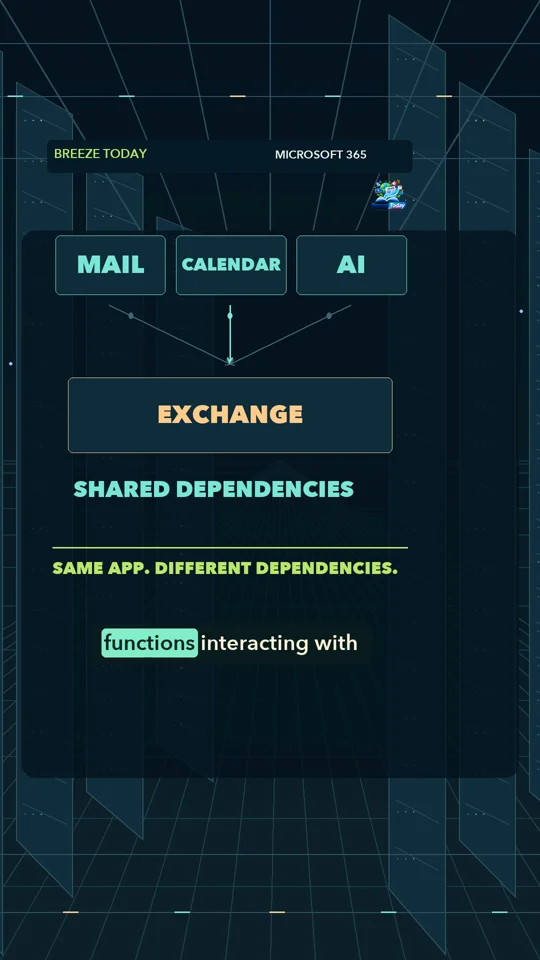
Why Can Teams Calls Work During a Microsoft Outage?
A service has several features and supporting systems. Understand why a working Teams call does not prove that every Microsoft 365 function has recovered.
Watch on YouTubeFollow the evidence
Sources and reporting
The original reporting date is shown above. These sources support the reported event and the additional explanatory context; a party’s statement is identified separately from an independent account.
- Microsoft 365 service health: current incident updateMicrosoft
- Microsoft says recovery efforts are making progress on worldwide outageAssociated Press
- How to check Microsoft 365 service healthMicrosoft Learn
- Queue-Based Load Leveling patternMicrosoft Learn
- Scammers likely to exploit Microsoft outageNSW Government / ID Support NSW
- Current alerts: Global Microsoft outage, November 13NSW Online Registry
Images, footage and media credits 5 credits
- Microsoft Building 92 archive photographJiaqian AirplaneFan. Creative Commons Attribution 3.0. Resized in this article; cropped, shaded and animated in the video and thumbnail. No endorsement implied.
- Source footage download, Pexels 1085656Pexels contributor, identified here by source asset ID. Pexels License. Selected excerpts, cropped separately for landscape and portrait, with original source audio removed. These clips do not depict the Microsoft outage or its affected servers.
- Source footage download, Pexels 7140928Pexels contributor, identified here by source asset ID. Pexels License. Selected excerpts, cropped separately for landscape and portrait, with original source audio removed. These clips do not depict the Microsoft outage or its affected servers.
- Source footage download, Pexels 7140937Pexels contributor, identified here by source asset ID. Pexels License. Selected excerpts, cropped separately for landscape and portrait, with original source audio removed. These clips do not depict the Microsoft outage or its affected servers.
- Scam-warning source excerptState of New South Wales / NSW Government, ID Support NSW. Creative Commons Attribution 4.0. A brief source excerpt is presented in an original layout and paraphrased by our narrator. Government logos are not reused. No original official speaker audio is implied.